
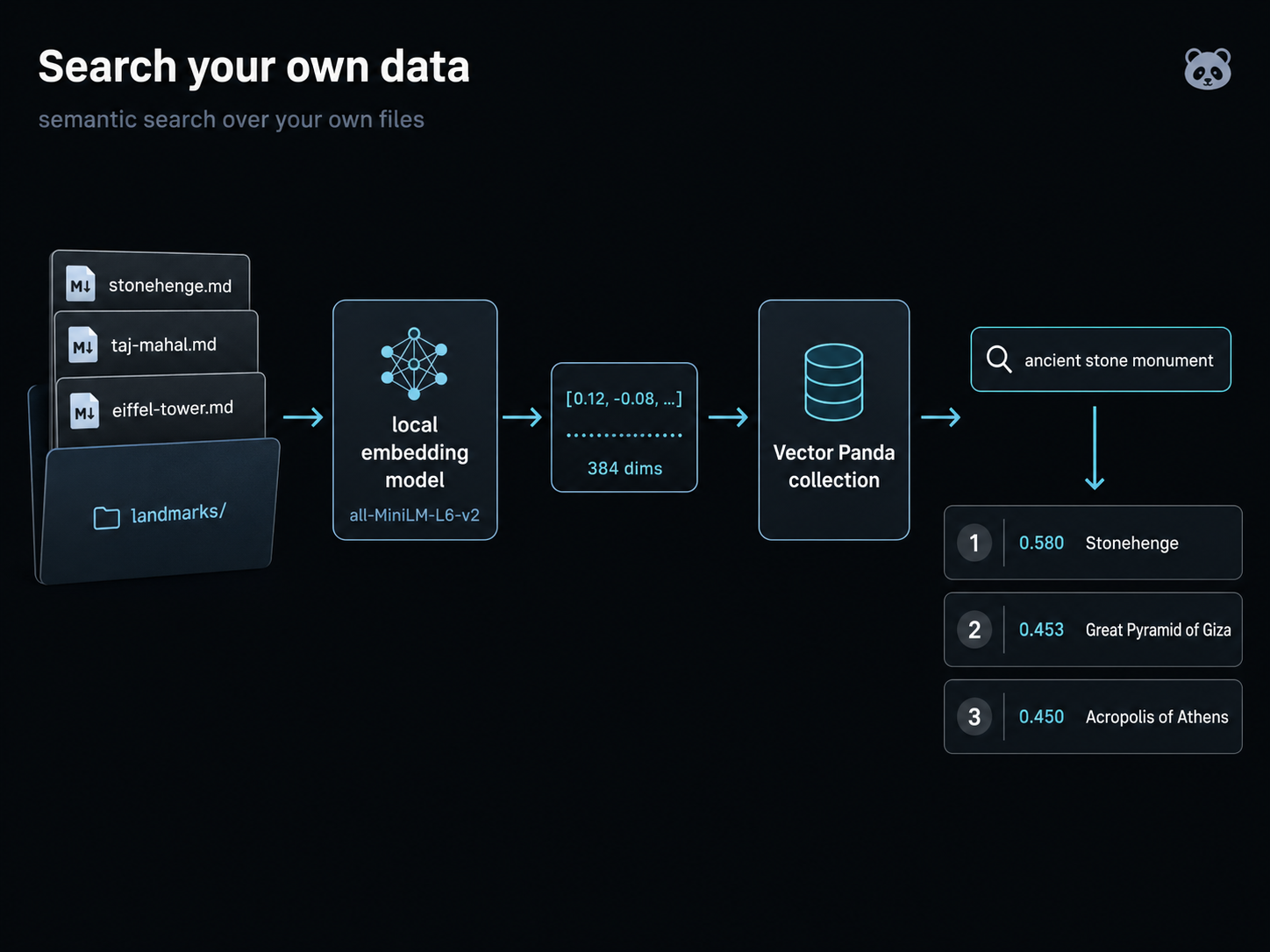
You have a folder of text on your laptop. Maybe it's your team's wiki, your customer support tickets, your research notes, or your engineering RFCs. You'd like to type a sentence and get back the documents that match the meaning, not just the keywords.
This project walks through it end to end with a real corpus you can either build yourself or download. We use ~40 Wikipedia articles about famous landmarks as the example dataset because they're real, public, varied, and small enough to run in a minute. Once you've finished, the only line to change for your own data is the folder path.
What you need
- Python 3.9 or newer
- About 5 minutes for setup, 25 minutes to run end to end
- An internet connection (to fetch the example corpus, to download the embedding model on first run, and to talk to Vector Panda)
pip install veep[pandas,parquet] sentence-transformers
pip install langchain-vectorpanda langchain-huggingface veep[pandas,parquet] sentence-transformers
veep[pandas,parquet] is the SDK plus pandas and pyarrow. sentence-transformers is the local embedding model we'll use; nothing leaves your machine until you upload to Vector Panda.
Get the corpus
We need a folder of text files to make searchable. Two ways to get one; pick whichever you prefer.
A. Build it yourself (recommended)
This way you watch the data come in, see what each file looks like, and the only line you change for your own data is the folder path. Takes about 30 seconds.
import json, pathlib, re, time, urllib.parse, urllib.request

LANDMARKS = [
    "Great Pyramid of Giza", "Great Wall of China", "Colosseum",
    "Acropolis of Athens", "Machu Picchu", "Petra", "Stonehenge",
    "Pantheon, Rome", "Hagia Sophia", "Chichen Itza",
    "Angkor Wat", "Notre-Dame de Paris", "Tower of London", "Alhambra",
    "Mont-Saint-Michel", "Borobudur", "Forbidden City", "Taj Mahal",
    "St. Peter's Basilica", "Palace of Versailles",
    "Eiffel Tower", "Statue of Liberty", "Big Ben", "Tower Bridge",
    "Brooklyn Bridge", "Sagrada Família", "Empire State Building",
    "Sydney Opera House", "Christ the Redeemer (statue)",
    "Golden Gate Bridge", "Mount Rushmore",
    "Burj Khalifa", "Petronas Towers", "The Shard", "CN Tower",
    "Brandenburg Gate", "Moscow Kremlin", "White House",
    "Buckingham Palace", "Leaning Tower of Pisa",
]

out = pathlib.Path("landmarks")
out.mkdir(exist_ok=True)

# Identify yourself per Wikipedia's User-Agent policy
# (https://meta.wikimedia.org/wiki/User-Agent_policy). Replace the email
# with yours if you'll be running this often.
ua = {
    "User-Agent": "VeepBYODExample/1.0 (you@example.com)",
    "Accept": "application/json",
}

for title in LANDMARKS:
    params = urllib.parse.urlencode({
        "action": "query", "prop": "extracts|info",
        "exintro": "1", "explaintext": "1", "inprop": "url",
        "redirects": "1", "titles": title,
        "format": "json", "formatversion": "2",
    })
    req = urllib.request.Request(
        "https://en.wikipedia.org/w/api.php?" + params, headers=ua,
    )
    with urllib.request.urlopen(req, timeout=15) as resp:
        data = json.load(resp)
    page = data["query"]["pages"][0]
    slug = re.sub(r"[^\w\s-]", "", page["title"].lower())
    slug = re.sub(r"\s+", "-", slug.strip())
    text = (page.get("extract") or "").strip()
    (out / f"{slug}.md").write_text(
        f"# {page['title']}\n\nsource: {page.get('fullurl', '')}\n\n{text}\n"
    )
    time.sleep(0.25)  # be polite; small gap between API calls

print(f"wrote {len(list(out.iterdir()))} markdown files to {out}/")
B. Or skip the wait
Same content, pre-bundled. Useful if you don't want to wait or you're behind a firewall that blocks Wikipedia.
import tarfile, urllib.request

urllib.request.urlretrieve(
    "https://next.vectorpanda.com/data/example-landmarks.tar.gz",
    "landmarks.tar.gz",
)
with tarfile.open("landmarks.tar.gz") as tf:
    tf.extractall(".")
print("extracted to landmarks/")
Either way, you should now have a landmarks/ folder with about 40 .md files. Open one in your editor; it's just a Wikipedia lead section with a title and a source URL. That's all the structure we need:
# Stonehenge

source: https://en.wikipedia.org/wiki/Stonehenge

Stonehenge is a prehistoric megalithic structure on Salisbury Plain in
Wiltshire, England, two miles (3 km) west of Amesbury. It consists of
an outer ring of vertical sarsen standing stones, each around 13 feet
(4.0 m) high, seven feet (2.1 m) wide, and weighing around 25 tons,
topped by connecting horizontal lintel stones... [the article continues
for a few more paragraphs]
Vector Panda doesn't parse markdown, doesn't process the title, doesn't store the body. The file is just text we'll feed to the embedder; what lands in Vector Panda is the resulting vector plus whatever metadata you choose to send. If you want the original text searchable too, look it up by id from disk after a query hit, or include the body in metadata at upload time.
Embed your corpus
Now turn each file into a vector. We'll use all-MiniLM-L6-v2, a small (~85 MB), fast, free sentence embedding model that runs locally on CPU. Vector Panda is model-agnostic; bring whatever you'd like, we just need a list of floats per row.
import pathlib
from sentence_transformers import SentenceTransformer

model = SentenceTransformer("all-MiniLM-L6-v2")  # ~85 MB download on first call

files = sorted(pathlib.Path("landmarks").glob("*.md"))
texts = [f.read_text() for f in files]

embeddings = model.encode(texts, show_progress_bar=True)
print(f"embedded {len(embeddings)} files; vector dim = {embeddings.shape[1]}")
After a progress bar (sentence-transformers prints one), you'll see:
embedded 40 files; vector dim = 384
The 384 is the embedding dimensionality. Every text is now a list of 384 floats. all-MiniLM-L6-v2 is a 384-dimensional model; if you swap models, this number changes (OpenAI text-embedding-3-small is 1536; BGE base is 768). Vector Panda doesn't care which dimensionality you pick, as long as your query vectors match the dimensionality of what you uploaded.
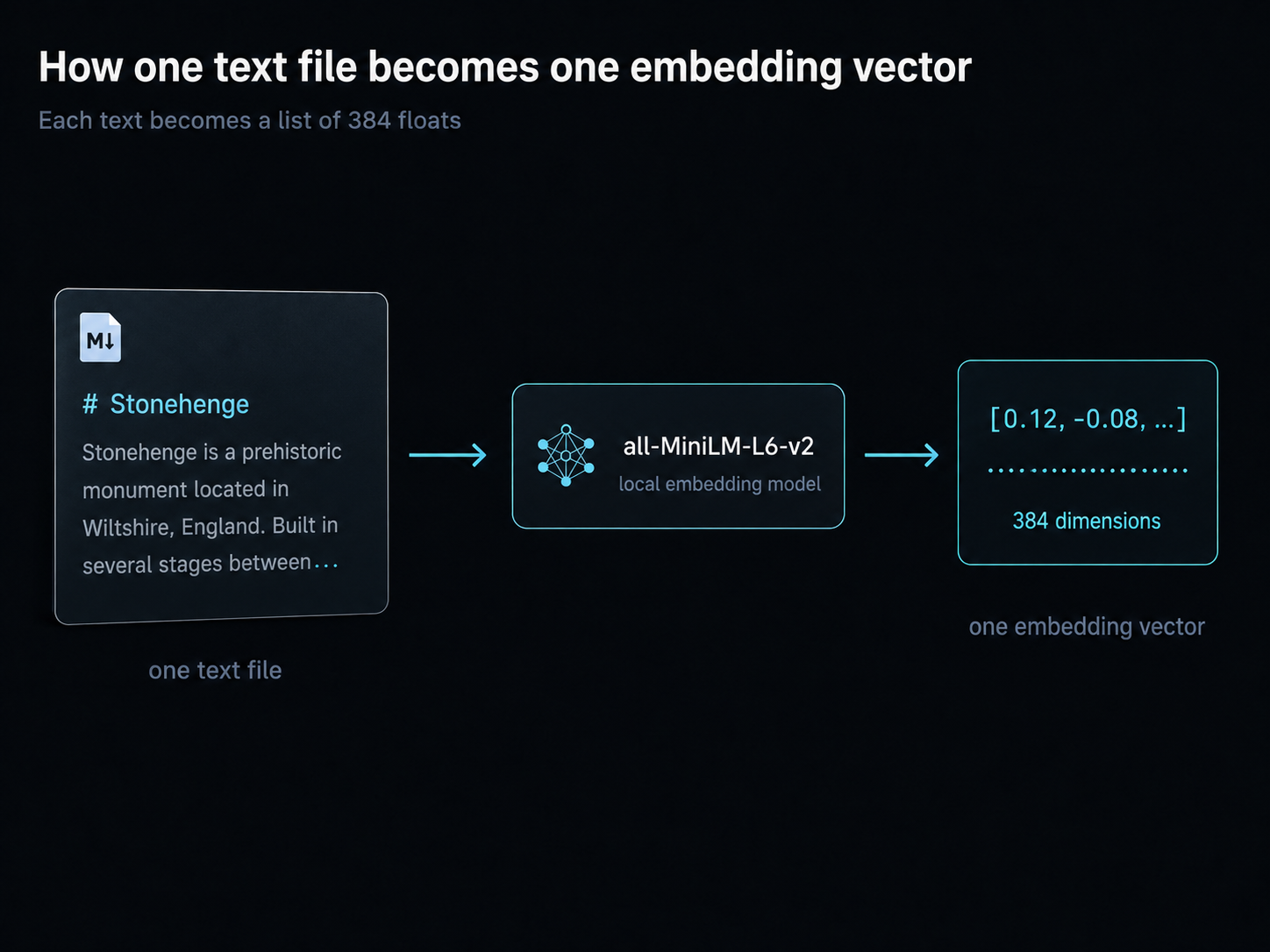
You now have a parallel list of (filename, text, vector) triples. Time to put them in Vector Panda.
Upload and query
This is where you pick your input shape. Each tab is a complete walkthrough; pick the one that matches how you'd naturally structure your own data, copy-paste, and run. The query at the end is the same regardless.
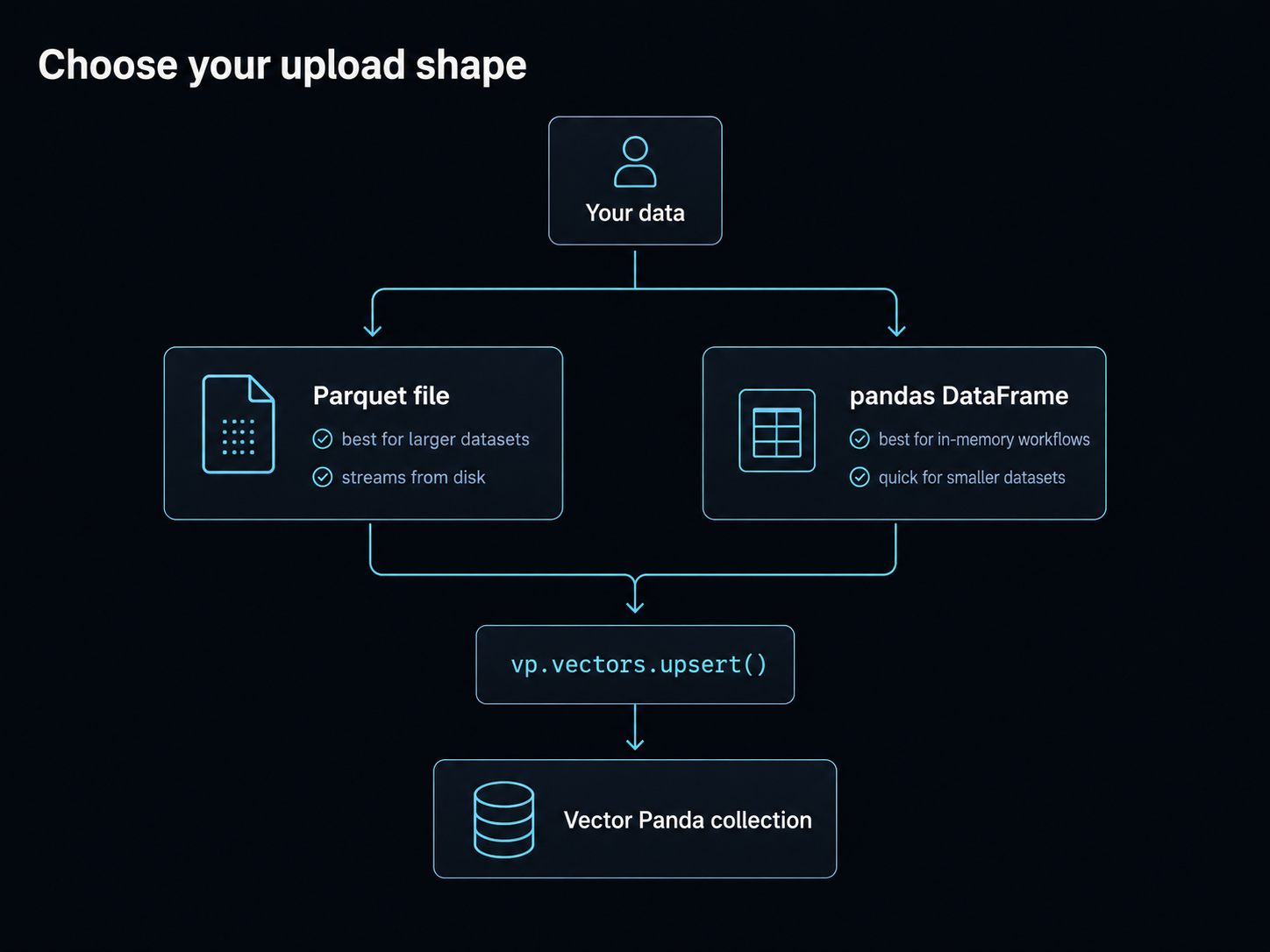
If you'd like to hand Vector Panda a file on disk and let it stream the upload (zero-copy from disk), build a parquet file and upsert by path. Best when your dataset is bigger than RAM, or when you already have a parquet pipeline.
import pandas as pd
from veep import VP

def title_of(text):
    for line in text.splitlines():
        if line.startswith("# "):
            return line[2:].strip()
    return ""

df = pd.DataFrame({
    "id": [f.stem for f in files],
    "vector": [e.tolist() for e in embeddings],
    "title": [title_of(t) for t in texts],
})
df.to_parquet("landmarks.parquet", index=False)

vp = VP.from_creds()
vp.collections.create("landmarks-from-parquet", tier="hot")
vp.vectors.upsert("landmarks-from-parquet", "landmarks.parquet")

q = model.encode("ancient stone monument").tolist()
results = vp.vectors.query("landmarks-from-parquet", vector=q, top_k=3)
for r in results:
    print(f"{r.score:.3f}  {r.metadata.get('title', '?')}")
If your data already lives in a pandas.DataFrame in memory, skip the parquet step and pass it directly.
import pandas as pd
from veep import VP

def title_of(text):
    for line in text.splitlines():
        if line.startswith("# "):
            return line[2:].strip()
    return ""

df = pd.DataFrame({
    "id": [f.stem for f in files],
    "vector": [e.tolist() for e in embeddings],
    "title": [title_of(t) for t in texts],
})

vp = VP.from_creds()
vp.collections.create("landmarks-from-dataframe", tier="hot")
vp.vectors.upsert("landmarks-from-dataframe", dataframe=df)

q = model.encode("ancient stone monument").tolist()
results = vp.vectors.query("landmarks-from-dataframe", vector=q, top_k=3)
for r in results:
    print(f"{r.score:.3f}  {r.metadata.get('title', '?')}")
If your query was "ancient stone monument", the top three results should be on-topic: Stonehenge, the Pyramids of Giza, the Acropolis. Sample output from the parquet path:
0.580  Stonehenge
0.453  Great Pyramid of Giza
0.450  Acropolis of Athens
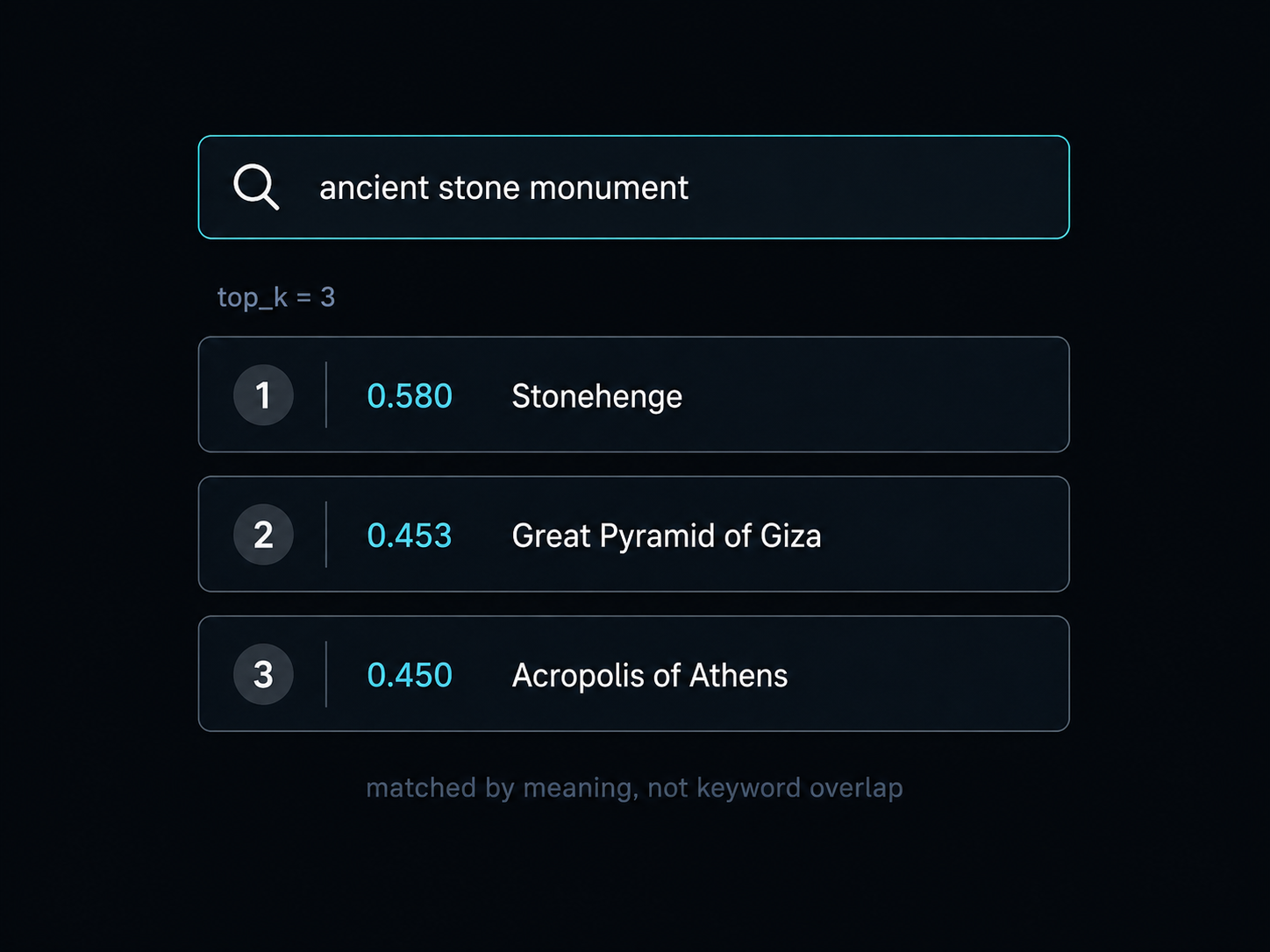
Embeddings aren't deterministic across machines, so the exact ranking varies, but the matches will be sensible.
Using LangChain instead
If your stack is already LangChain-shaped, the langchain-vectorpanda package wraps the whole flow: the embedding model becomes the store's embedding instance, and from_texts does the embed-and-upsert in one call. No manual model.encode loop, no DataFrame assembly.
from langchain_huggingface import HuggingFaceEmbeddings
from langchain_vectorpanda import VectorPandaStore

embedder = HuggingFaceEmbeddings(model_name="sentence-transformers/all-MiniLM-L6-v2")

store = VectorPandaStore.from_texts(
    texts=texts,
    embedding=embedder,
    metadatas=[{"title": title_of(t)} for t in texts],
    ids=[f.stem for f in files],
    collection_name="landmarks-from-langchain",
    tier="hot",
)

# Query takes a string; the store embeds it via the same model.
results = store.similarity_search_with_score("ancient stone monument", k=3)
for doc, score in results:
    print(f"{score:.3f}  {doc.metadata.get('title', '?')}")
The result set is the same shape and the same content as the veep path above; the call is just narrower. Use whichever feels natural to the codebase you're plugging this into.
Try a few more queries and watch how the meaning carries through. We'll set up one more collection from the same vectors so this section is self-contained, runnable whether or not you stuck with the tab above:
import pandas as pd

df = pd.DataFrame({
    "id": [f.stem for f in files],
    "vector": [e.tolist() for e in embeddings],
    "title": [title_of(t) for t in texts],
})
vp.collections.create("landmarks-bonus", tier="hot")
vp.vectors.upsert("landmarks-bonus", dataframe=df)

for query in [
    "modern european cathedral",
    "tall building in asia",
    "famous statue overlooking a city",
    "fortified palace",
]:
    print(f"\n>>> {query}")
    q = model.encode(query).tolist()
    for r in vp.vectors.query("landmarks-bonus", vector=q, top_k=3):
        print(f"  {r.score:.3f}  {r.metadata.get('title', '?')}")
bonus = VectorPandaStore.from_texts(
    texts=texts,
    embedding=embedder,
    metadatas=[{"title": title_of(t)} for t in texts],
    ids=[f.stem for f in files],
    collection_name="landmarks-bonus-lc",
    tier="hot",
)

for query in [
    "modern european cathedral",
    "tall building in asia",
    "famous statue overlooking a city",
    "fortified palace",
]:
    print(f"\n>>> {query}")
    for doc, score in bonus.similarity_search_with_score(query, k=3):
        print(f"  {score:.3f}  {doc.metadata.get('title', '?')}")
You'll see something like:
>>> modern european cathedral
  0.540  Notre-Dame de Paris
  0.431  Sagrada Família
  0.401  Hagia Sophia

>>> tall building in asia
  0.545  Petronas Towers
  0.521  Burj Khalifa
  0.403  The Shard

>>> famous statue overlooking a city
  0.416  Christ the Redeemer (statue)
  0.372  Statue of Liberty
  0.353  Mount Rushmore

>>> fortified palace
  0.505  Kremlin
  0.494  Tower of London
  0.463  Palace of Versailles
These are actual scores from a run on the day this guide was written. Yours will be slightly different, but the same general matches should land in the top three for each query. The thing to notice: nothing in the corpus uses the literal word "cathedral," "tall," or "fortified." The matching is on meaning, not keyword overlap.
Now what
You just built a semantic search engine over your own data. The pattern works for anything that's "files of text": your team's wiki, your support tickets, your research notes, your code comments, your meeting transcripts.
To make it yours:
- Replace the
landmarks/folder with a folder of your own.md(or.txt,.html, anything you can read into a string) files. - Replace
model = SentenceTransformer("all-MiniLM-L6-v2")with whichever embedding model fits your domain. OpenAI'stext-embedding-3-small, Cohere, BGE, your own fine-tuned model, anything that returns a list of floats. Vector Panda doesn't care about dimensionality or provider. - If your corpus is bigger than ~100k rows, the parquet tab scales the best (zero-copy upload, no DataFrame in memory). Smaller, the DataFrame tab is just as quick.
Read the SDK reference for everything vp.vectors.upsert() and vp.vectors.query() can do. The auto-optimize concept page explains what Vector Panda does between your upload and your first query: picking the indexing strategy that best fits the shape of your vectors.