
The Vector Panda SDK has one client class, VP, but four ways to give it credentials. They all produce the same authenticated client object; what differs is where the API key comes from and what side effects the construction has.
This page is the reference for picking the right one.
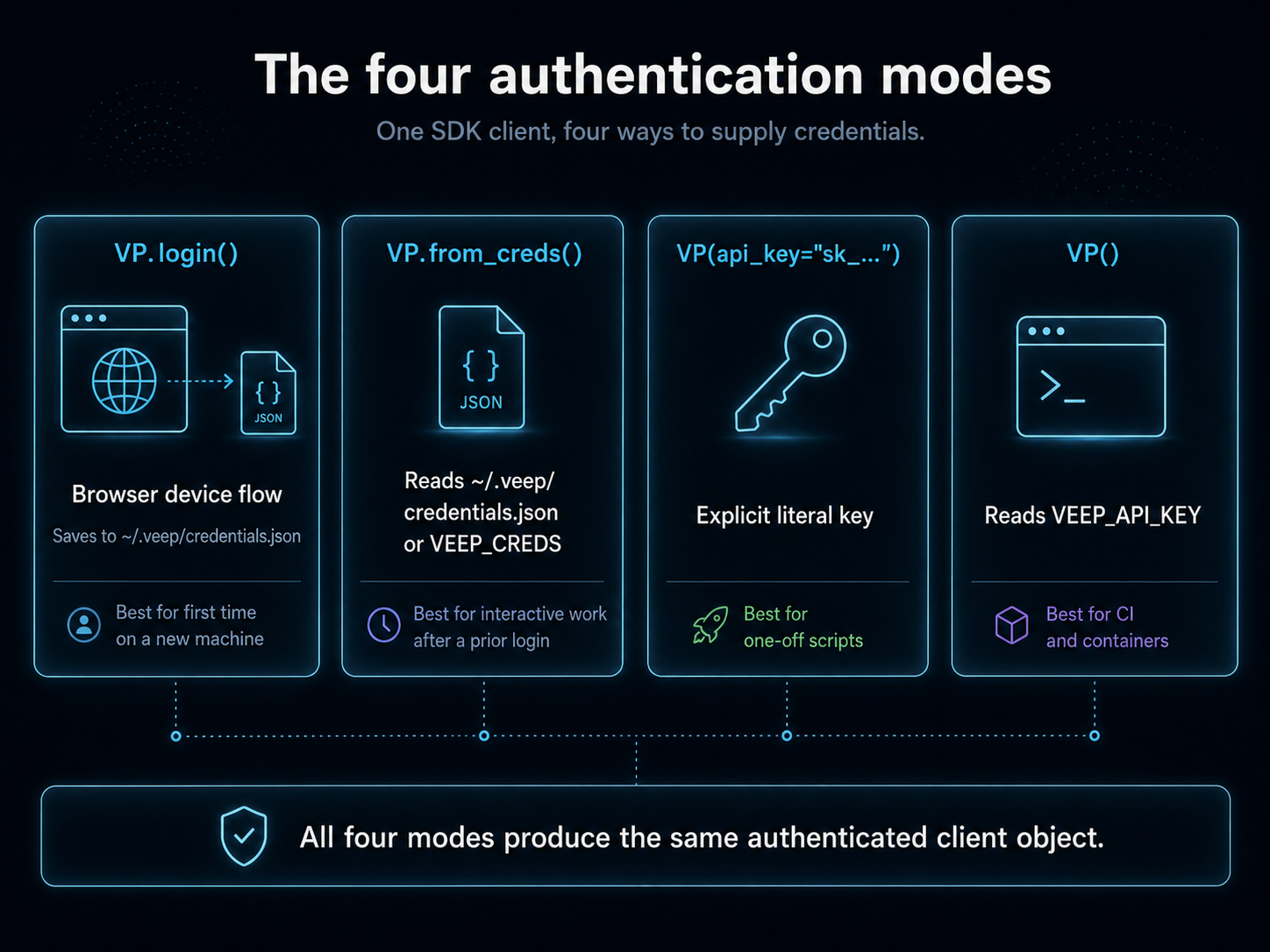
TL;DR
| Mode | Where the key comes from | Use this when |
|---|---|---|
VP.login() |
Browser device flow; saves to disk | First time on a new machine |
VP.from_creds() |
~/.veep/credentials.json (or VEEP_CREDS) |
Interactive work after a prior login |
VP(api_key="sk_...") |
Explicit literal | One-off scripts, you already have the key |
VP() |
VEEP_API_KEY environment variable |
CI, containers, anywhere a secret manager hands you the env |
Pick whichever matches how the key arrives in this process. The runtime behaviour after construction is identical.
Mode 1: VP.login() (interactive device flow)
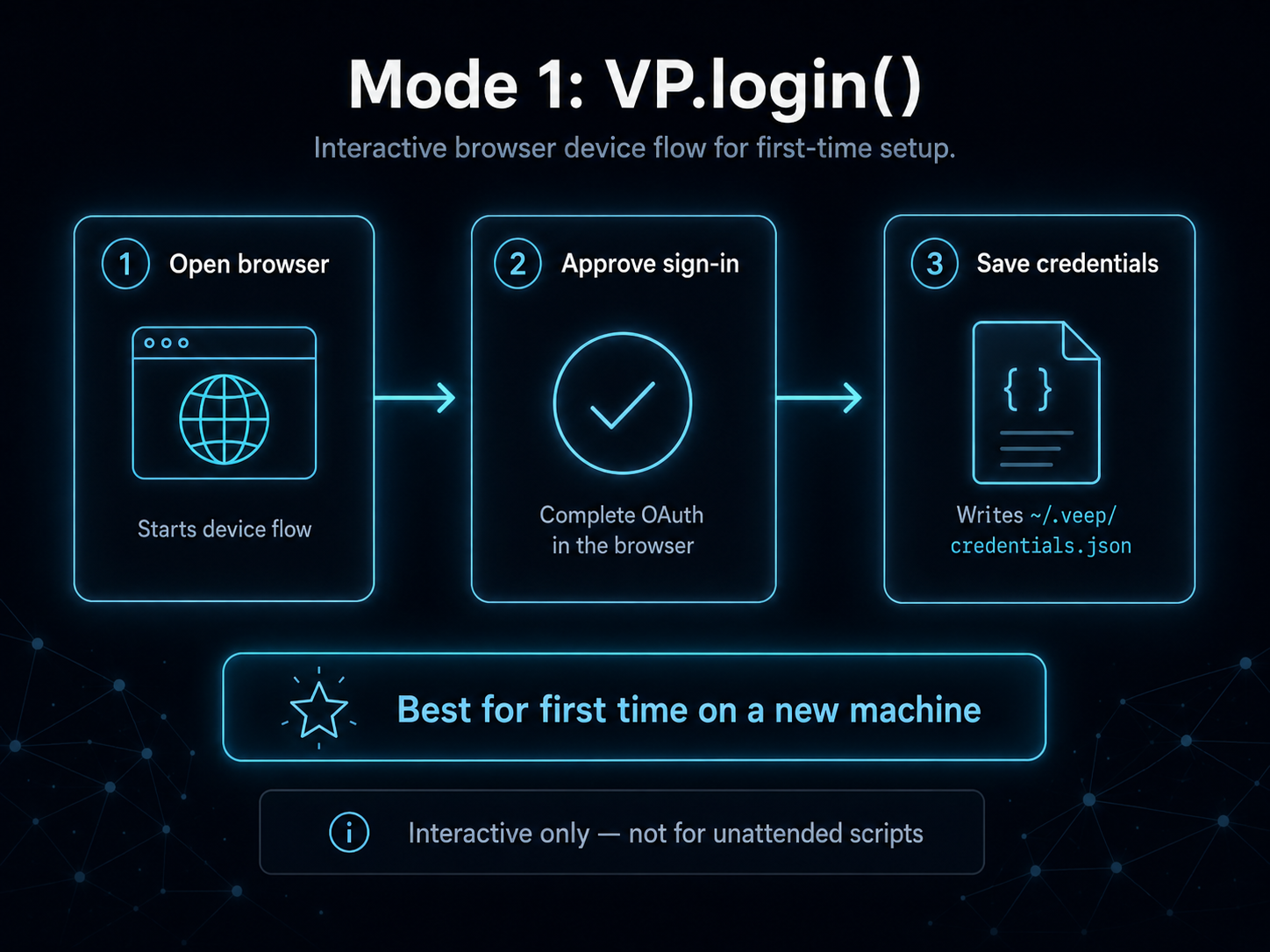
Opens a browser, walks you through OAuth, and writes the resulting key to ~/.veep/credentials.json (chmod 600). Designed for the first time you sit down at a new machine.
from veep import VP

vp = VP.login()                  # opens a browser; complete the device-flow prompt
# vp is now authenticated AND ~/.veep/credentials.json is written
from veep import VP

vp = VP.login()                  # opens a browser; complete the device-flow prompt
# vp is now authenticated AND ~/.veep/credentials.json is written;
# subsequent processes wrap with VectorPandaStore(client=VP.from_creds(), ...)
The login flow itself is identical — it's the one-time interactive step. From here on you'd construct a VectorPandaStore in code that runs unattended.
After this runs once, every subsequent process on the same machine can use VP.from_creds() without re-prompting. The credentials file is also what the Vector Panda quickstart on /docs writes, so a fresh login from the SDK and a fresh login from the website both land on the same file.
You don't normally call this in code that runs unattended. If you find yourself wanting to, that's a signal to switch to mode 3 or 4.
Mode 2: VP.from_creds() (read the saved file)
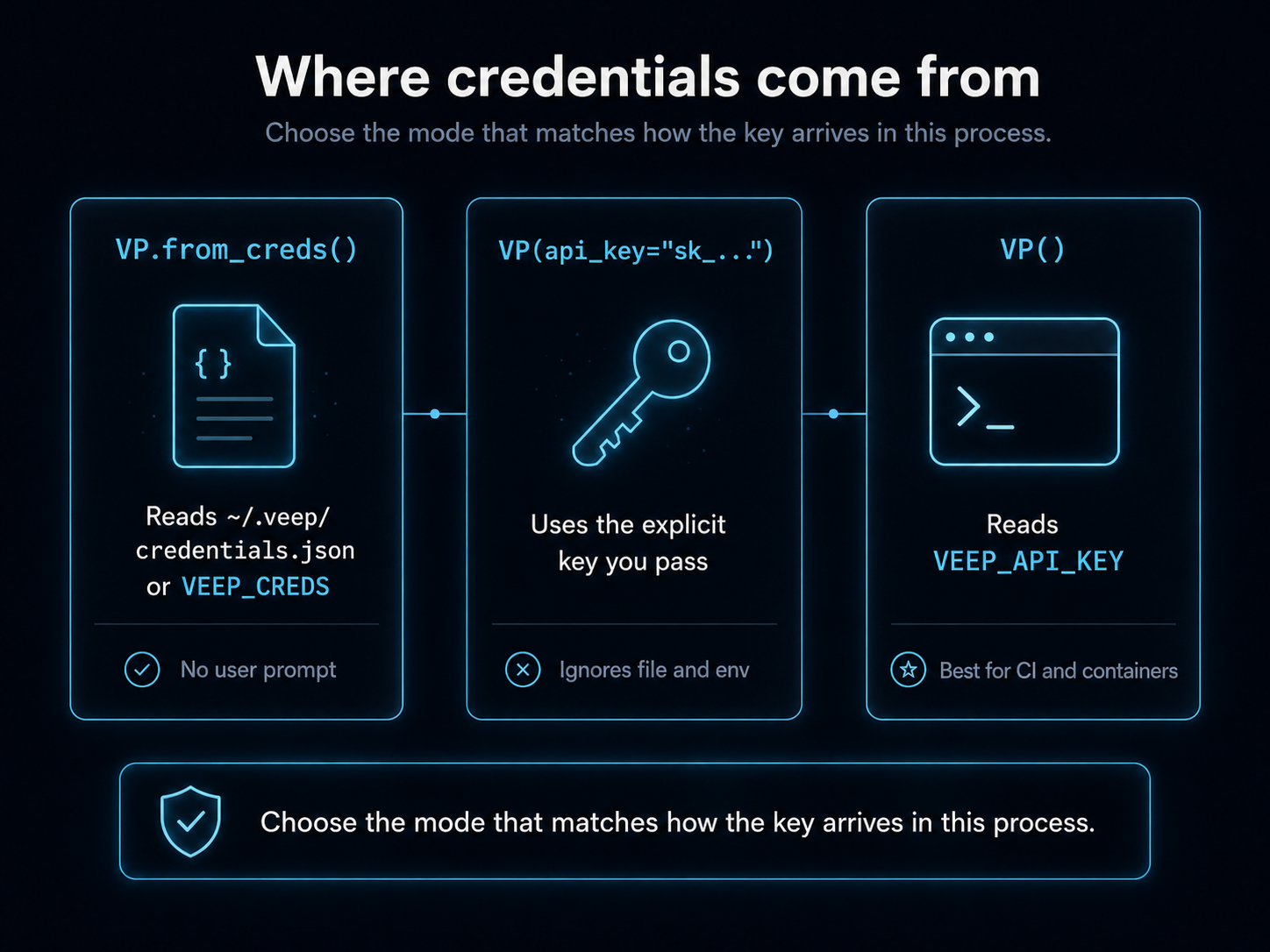
The most common interactive mode. Reads ~/.veep/credentials.json (or whatever VEEP_CREDS points to) and constructs a client without any user prompt.
from veep import VP

vp = VP.from_creds()                # reads ~/.veep/credentials.json
print(vp.whoami())                  # {'client_id': '...', 'client_name': '...'}
from langchain_huggingface import HuggingFaceEmbeddings
from langchain_vectorpanda import VectorPandaStore
from veep import VP

vp = VP.from_creds()                # reads ~/.veep/credentials.json
store = VectorPandaStore(
    collection_name="my-collection",
    embedding=HuggingFaceEmbeddings(model_name="sentence-transformers/all-MiniLM-L6-v2"),
    client=vp,
)
print(store.client.whoami())        # {'client_id': '...', 'client_name': '...'}
If the credentials file doesn't exist, this raises AuthError with a hint to run VP.login(). It does not fall back to env vars; that's mode 4's job.
This is what every example on /docs/projects/* and /docs/tutorials/* uses, because the .150 test runner has the credentials file already populated. In your own laptop session the same call works the same way.
Mode 3: VP(api_key="...") (explicit literal)
Hands the key directly, ignoring both the credentials file and the env var. Useful when you have the key in some other store (Vault, Secrets Manager, password manager) and want to avoid intermediate state on disk.
from veep import VP

vp = VP(api_key="veep_live_yourrealkeyhere")
from langchain_vectorpanda import VectorPandaStore

# Shortcut: the store builds VP for you when you pass api_key=.
store = VectorPandaStore(
    collection_name="my-collection",
    embedding=embeddings,                       # any LangChain Embeddings
    api_key="veep_live_yourrealkeyhere",
)
The SDK refuses obvious placeholder strings (veep_live_REPLACE_ME, your-key-here, anything with XXXX) before it makes a network call, so a copy-paste mistake fails with a useful error instead of "401 unauthorized."
Don't commit literal keys to source control. If you find yourself reaching for this mode in a script that lives in a repo, switch to mode 4.
Mode 4: VP() (read from VEEP_API_KEY)
The CI mode. With no arguments, the constructor falls back to the VEEP_API_KEY environment variable.
# In your shell or container env:
export VEEP_API_KEY=veep_live_yourrealkeyhere
from veep import VP

vp = VP()                            # reads VEEP_API_KEY from the environment
from langchain_vectorpanda import VectorPandaStore
from veep import VP

# VectorPandaStore has no direct env-var fallback; construct VP() and pass it.
store = VectorPandaStore(
    collection_name="my-collection",
    embedding=embeddings,
    client=VP(),                     # VP() reads VEEP_API_KEY
)
Pair this with whatever your platform uses for secret injection (Kubernetes Secrets, Docker --env-file, GitHub Actions secrets, Forgejo Actions secrets, AWS Secrets Manager via env, etc.). The SDK never logs the key value and never writes it to disk.
VEEP_HOST is the matching env var for the API base URL, useful when you're running against a non-default cluster. Default is the public Vector Panda cloud.
Where credentials come from
Verify the client is authenticated
Whichever mode you used, the same probe works:
from veep import VP

vp = VP.from_creds()
me = vp.whoami()
print(f"signed in as client_id={me['client_id']}, client_name={me['client_name']}")
from langchain_huggingface import HuggingFaceEmbeddings
from langchain_vectorpanda import VectorPandaStore
from veep import VP

store = VectorPandaStore(
    collection_name="my-collection",
    embedding=HuggingFaceEmbeddings(model_name="sentence-transformers/all-MiniLM-L6-v2"),
    client=VP.from_creds(),
)
me = store.client.whoami()
print(f"signed in as client_id={me['client_id']}, client_name={me['client_name']}")
whoami() makes an authenticated round-trip and returns the client's identity. If it succeeds, the credentials are valid; if it raises AuthError, they aren't.
How the modes interact
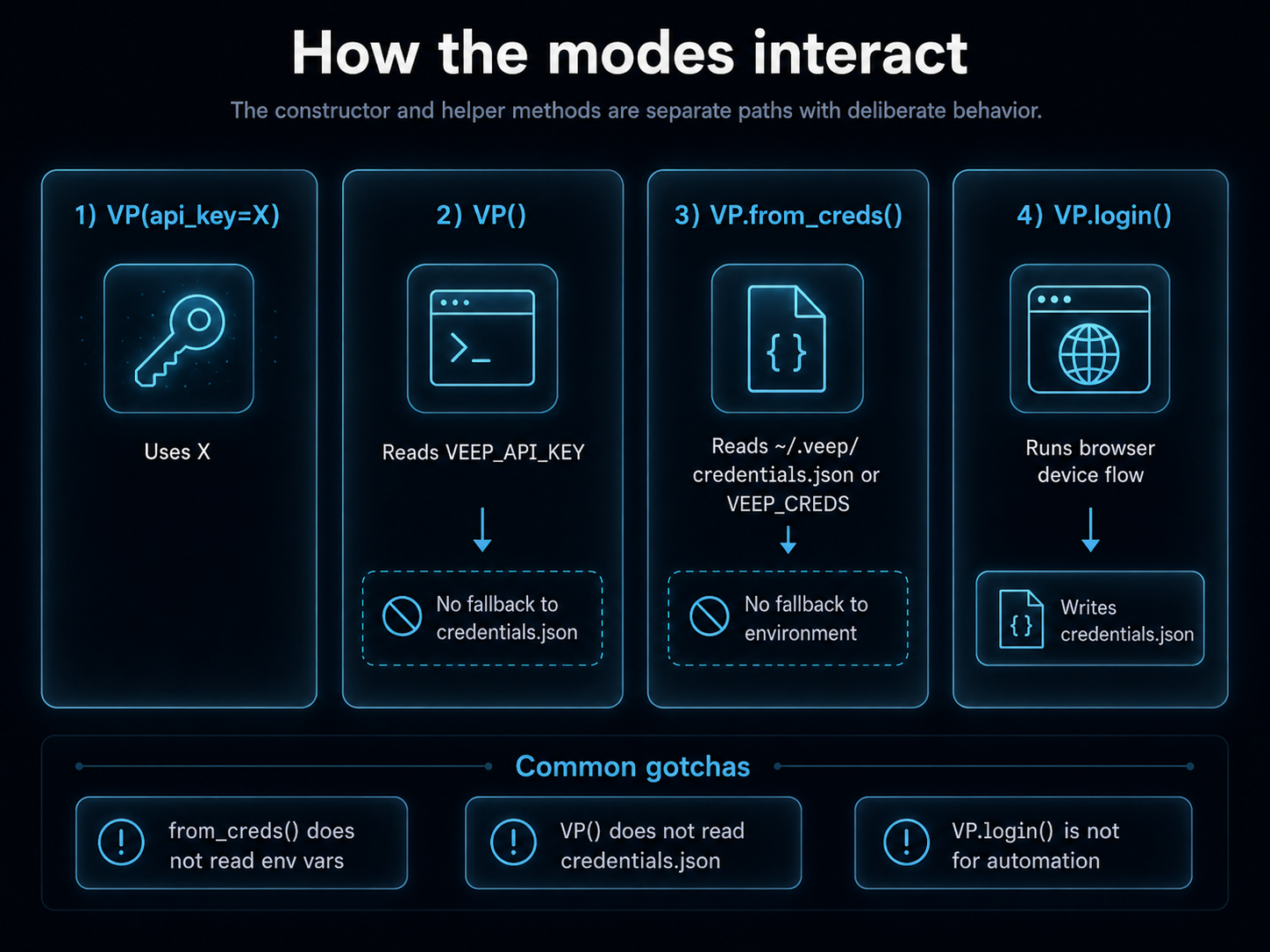
The four modes don't overlap, but they fall through in a specific order if you use mode 3 or 4 with no arguments:
VP(api_key=X) → uses X
VP()          → reads VEEP_API_KEY from environment
                (no fallback to ~/.veep/credentials.json)

VP.from_creds() → reads ~/.veep/credentials.json (or VEEP_CREDS path)
                  (no fallback to environment)

VP.login() → ignores everything, runs the browser flow, writes credentials.json
The two static methods (login, from_creds) and the constructor are deliberately separate paths; the SDK doesn't try to guess which you meant. If you want "use the credentials file or the env var, whichever exists," that's a one-liner you write yourself:
import os
from veep import VP

vp = VP.from_creds() if os.path.exists(os.path.expanduser("~/.veep/credentials.json")) else VP()
But most production code knows which mode it's in and shouldn't need that branch.
Common gotchas
VP.from_creds()doesn't read env vars. If your credentials.json doesn't exist,from_credsraisesAuthError; it won't silently fall through toVEEP_API_KEY. That's intentional: an interactive script that suddenly starts using a CI key is a bug.VP()doesn't read credentials.json. Same reason in reverse: a CI script that suddenly works because of a stale credentials.json on the build host is a worse bug than failing fast with no key.- Don't put
VP.login()in a script. It blocks on a browser; nothing about that flow is suitable for automation. If you need credentials from a script, use mode 3 or 4. - Saving and rotating.
vp.save()writes the current client's credentials back to~/.veep/credentials.json. Useful afterVP.login()if you want to be explicit, and useful when you've rotated keys and want the new one to become the default for futurefrom_credscalls.
Related
- The SDK reference lists every constructor argument with its precise type.
- The filter syntax tutorial is the next step once you have a client.